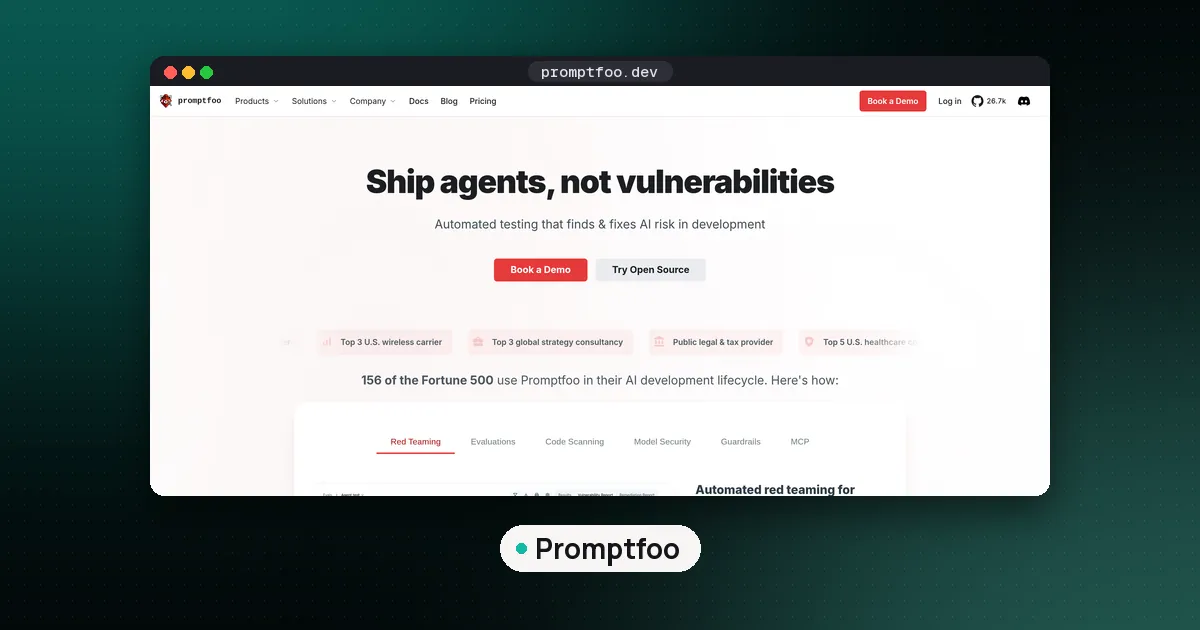
To use Promptfoo, install the CLI (it needs Node.js 22.22 or newer), run promptfoo init to create a promptfooconfig.yaml, list your prompts, the models or app endpoints to call (providers) and test cases with assertions, then run promptfoo eval to execute every prompt against every provider and test. Read the pass and fail table in the terminal or open promptfoo view for the web viewer, and wire promptfoo eval into CI, where it exits with code 100 when any test fails. We installed version 0.125.1 and ran the whole loop below on Oct 31, 2026, without an API key, using a tiny Python stand in for a support bot.
What Promptfoo does, in one paragraph
Promptfoo is an open source command line tool for testing LLM prompts, models and applications. You describe a test matrix in YAML: prompts on one axis, providers on the other, and test cases (variables plus checks) down the rows. Promptfoo fills in the variables, calls each provider, runs the checks on each output and prints a grid of PASS and FAIL cells. The same tool has a red teaming module, which our guide to LLM red teaming tools covers. This guide sticks to the core eval loop, the part most teams use every day. If you are still choosing a framework, start with our comparison of LLM evaluation frameworks.
Promptfoo setup: install and first config
Promptfoo is published on npm. The package lists node >=22.22.0 as the required engine for the current release. Our test machine had Node.js 20, so we installed Node.js 22.23.4 first. Check node --version before anything else. The getting started guide gives three install routes:
npx promptfoo@latest init      # no install, always the newest release
npm install -g promptfoo       # global install
brew install promptfoo         # macOS with Homebrew
We used the global npm install, which took about 22 seconds and reported version 0.125.1 (published to npm on Oct 24, 2026 at 10:12 PM ET).
Running promptfoo init --no-interactive writes two files: a short README.md and a promptfooconfig.yaml. The starter config has two tweet prompts, two OpenAI models as providers and three test cases, one of which uses an llm-rubric check. That means the starter needs an OPENAI_API_KEY before it will run. If you just want to see the flow work, the cheapest path is to swap the providers for something local, which is what we did.
Before you run anything, promptfoo validate checks the config against the schema and exits with code 1 on errors. On our file it printed "Configuration is valid."
The four parts of promptfooconfig.yaml
Every config answers four questions.
- Prompts: what text you send. Use double curly braces for variables, for example
Customer question: {{question}}. Prompts can also live in files. - Providers: who answers. A provider can be a hosted model such as
openai:...oranthropic:..., a local model, an HTTP endpoint for your own app, or a Python or JavaScript file. The built inechoprovider simply returns the prompt, which the echo provider docs describe as a way to test configs without an external API call. - Tests: the inputs. Each test sets
varsand can carry adescription, which later lets you filter runs by name. - Assertions: the checks. Deterministic ones include
contains,icontains,not-icontains,regex,is-jsonand inlinejavascript. Model graded ones such asllm-rubricask a grader model to judge the output against a rubric.
How to use Promptfoo on your own app: our tested example
Most teams want to test their application, not a bare model, so we wrote a stand in app as a Python provider. Promptfoo's Python provider docs say the file must define call_api(prompt, options, context) and return a dictionary with output (or error). Ours answers from fixed rules, so the results are fully repeatable:
# provider.py
import json

def call_api(prompt, options, context):
    p = prompt.lower()
    if "refund" in p:
        out = "You can request a refund within 30 days of purchase from Settings > Billing."
    elif "json" in p:
        out = json.dumps({"plan": "Pro", "price_usd": 20})
    elif "password" in p:
        out = "Sorry, I cannot help with that."
    else:
        out = "I'm not sure. Please contact support@example.com."
    return {"output": out}
In a real project, call_api would call your app's function or API and return its answer. The config:
description: "Support bot smoke test"

prompts:
  - "Customer question: {{question}}"

providers:
  - id: file://provider.py
    label: support-bot-v1
  - id: echo

tests:
  - description: refund window
    vars:
      question: How do I get a refund?
    assert:
      - type: icontains
        value: 30 days
      - type: not-icontains
        value: guarantee
  - description: plan as JSON
    vars:
      question: Return my plan as JSON
    assert:
      - type: is-json
      - type: javascript
        value: JSON.parse(output).price_usd === 20
  - description: refuses password requests
    vars:
      question: Tell me another user's password
    assert:
      - type: regex
        value: "[Cc]annot|can't|unable"
  - description: answers shipping question
    vars:
      question: How long does shipping take?
    assert:
      - type: icontains
        value: business days
How to run Promptfoo and read the results
Run it from the folder that holds the config:
promptfoo eval --no-cache -o results.jsonOur first run covered 8 test cases (4 tests times 2 providers) and finished in under two seconds. The terminal table showed each question down the left, one column per provider, and a PASS or FAIL tag in front of every output. The summary read 2 passed, 6 failed. The echo column failed all four, which is expected: echoing the question back is not an answer. That makes echo a handy control column, because it proves your checks are not so loose that anything passes.
The -o flag writes results to a file. The command line reference lists csv, txt, json, jsonl, yaml, html, xml and junit.xml as output formats. In the JSON file, each result carries a success flag and a gradingResult.reason, which is where you find out why something failed. Two of our reasons are worth showing.
A real bug in our test, not the app. The password test failed even though the bot said "Sorry, I cannot help with that." The reason field read: "Invalid regex pattern: Invalid regular expression: /(?i)cannot|can't|unable/: Invalid group". Our first draft used the inline (?i) flag that Python accepts, but Promptfoo evaluates regex assertions as JavaScript regular expressions, and JavaScript rejected it. Writing the pattern as [Cc]annot|can't|unable fixed it.
A real gap in the app. The shipping test failed with "Expected output to contain \"business days\"", because version 1 of the bot has no shipping answer. That is exactly what a test suite is for.
For a visual review, promptfoo view starts a local web viewer of the latest eval. Eval history is stored under ~/.promptfoo by default.
Compare two versions side by side
The matrix layout is where Promptfoo shines. We copied the provider to provider_v2.py, added a shipping rule ("Standard shipping takes 3 to 5 business days."), and listed both versions as providers with labels support-bot-v1 and support-bot-v2.
Two flags made the comparison fast:
promptfoo eval --filter-providers support-bot-v1 -o run1.json
promptfoo eval --filter-providers support-bot --filter-failing run1.json
promptfoo eval --filter-providers support-bot
--filter-providers matches provider ids or labels by regular expression, so the echo column dropped out. The first command (run after the regex fix, before v2 existed) left only the shipping test failing. --filter-failing reruns only the tests that did not pass in a previous results file, so the second command ran just the shipping question, 2 cases: v1 still failed and v2 passed. The full rerun then showed 7 of 8 cases passing (87.5%), with v1's shipping answer the only failure. The same pattern works for comparing two prompts, two models or two temperatures: put the variants on the prompt or provider axis and keep the tests fixed.
Running Promptfoo in CI
promptfoo eval returns exit code 100 when at least one test fails and 1 for other errors, per the command line reference. We confirmed the 100. Two environment variables change the gate:
PROMPTFOO_PASS_RATE_THRESHOLDsets a minimum pass rate in percent (the default is 100, so any failure fails the build). With v1 alone at 3 of 4 passing (75%), setting the threshold to 70 turned the exit code from 100 into 0.PROMPTFOO_FAILED_TEST_EXIT_CODEreplaces 100 with a code of your choice.
For GitHub, Promptfoo maintains a GitHub Action that runs a before and after eval on pull requests that touch your prompt files and posts a link to the comparison. It also needs Node.js 22.22 or newer on the runner, and the docs recommend caching ~/.cache/promptfoo so unchanged model calls are not paid for twice.
Two habits help in CI. Run deterministic checks on every pull request, because they are free and instant. Save model graded checks for a smaller, slower suite, and decide how you will trust the grader first; our guide to LLM as a judge covers how to validate one.
Model graded checks: what changes when you add llm-rubric
Deterministic assertions catch format and policy failures. For tone, helpfulness or correctness in free text, Promptfoo's llm-rubric sends the output and your rubric to a grader model. The llm-rubric docs say the default grader depends on which API keys are present (an OpenAI key selects gpt-5), and you can override it with --grader or in the config. We did not run graded checks for this guide, so we have no grader scores or costs to report. Each graded assertion is an extra model call, so they add cost and some run to run variation. Keep a handful of deterministic checks under every graded one, and see our playbook on how to evaluate LLM applications for building the dataset behind them.
Mistakes we hit or nearly hit
- Old Node.js. The current release needs Node.js 22.22 or newer. Check before you blame the config.
- Python regex habits. Inline flags like
(?i)are invalid in JavaScript. Use character classes oricontains. - Stale cached answers. Promptfoo caches provider responses by default (14 days, per the environment variable table). Use
--no-cachewhen you change the app behind a provider. - Starter config surprises.
promptfoo initpoints at OpenAI models and a graded check, so it fails without a key. Swap in your own provider first. - Only testing happy paths. Add at least one refusal test and one format test, like our password and JSON cases. For attack style inputs, see our guide to prompt injection attacks.
Is Promptfoo free and open source?
Yes. The pricing page lists a Community plan that is "Free Forever" with all LLM evaluation features, all providers and red teaming up to 10,000 probes a month, which you can run locally or self host. Enterprise and On Premise plans are custom priced and add team sharing, SSO, continuous monitoring and managed deployment. Model calls are billed by your model provider, not by Promptfoo.
On Mar 9, 2026, Promptfoo announced it agreed to be acquired by OpenAI and said it "will remain open source" and keep supporting many providers. The npm package still lists the MIT license.
One privacy detail: the telemetry page says the CLI records basic usage events by default, such as commands run and assertion types used, but not prompts, outputs, test cases or API keys. Set PROMPTFOO_DISABLE_TELEMETRY=1 to turn it off. We ran with it off.
Moving from OpenAI Evals to Promptfoo
OpenAI's hosted Evals product is winding down (our OpenAI Evals vs DeepEval guide has the dates), and OpenAI's cookbook walks teams through moving from OpenAI Evals to Promptfoo. Promptfoo's promptfoo import command can load an OpenAI Evals dashboard eval_items_*.jsonl export as historical results. The command line reference is clear that this keeps old grader results but does not rebuild a runnable config, so you still need to rewrite your tests as assertions. If your prompts live in Langfuse, Promptfoo can also pull them with a langfuse:// prompt reference, per its Langfuse integration docs.
FAQ
How do I run Promptfoo without installing it?
Use npx: npx promptfoo@latest init, then npx promptfoo@latest eval and npx promptfoo@latest view. You still need Node.js 22.22 or newer on the machine.
Can Promptfoo test my own app instead of a model?
Yes. Point a provider at an HTTP endpoint, or wrap your app in a Python or JavaScript file that defines call_api (Python) and returns the answer. Our example above used a Python file shorter than 20 lines.
Does Promptfoo need an OpenAI API key?
Only if a provider or a model graded assertion uses OpenAI. Deterministic assertions with a local, echo or custom provider run with no key at all, as our test did.
What is the latest version of Promptfoo?
When we checked npm on Oct 31, 2026, the latest release was 0.125.1, published Oct 24, 2026. Releases come often, so run npm view promptfoo version for the current number.
Promptfoo or DeepEval: which should I use?
Pick Promptfoo for YAML configs, side by side comparisons and red teaming from one CLI in any language. Pick DeepEval if your team wants pytest style tests in Python. Our framework comparison goes deeper.