Here is how to use LangSmith with LangGraph in short: install langsmith, set LANGSMITH_TRACING=true and LANGSMITH_API_KEY, tell LangSmith where the traces should land, and run your compiled graph as usual. If your nodes call LangChain chat models or tools, every node, model call and tool call is traced with no code changes. If they call a raw SDK such as openai, wrap the client with wrap_openai or decorate the function with @traceable.
That gets you traces. The more useful half is what you do with them: grouping turns into threads, filtering by tags, and running the same graph against a dataset so a prompt or model change shows up as a score instead of a hunch. This guide covers both, from the tracing and evaluation side. If you are still building the graph itself, drydock.si has the build side: LangChain vs LangGraph explains the layers and how to build a RAG pipeline with LangGraph walks through a full graph. Everything below was checked against LangChain's documentation on October 28, 2026, when the current PyPI releases were langsmith 0.14.14 and langgraph 1.2.18.
What LangSmith and LangGraph each do
LangGraph is an open source (MIT) library for building agents as graphs: nodes are functions, edges decide what runs next, and a shared state object flows between them. It runs anywhere and needs no account.
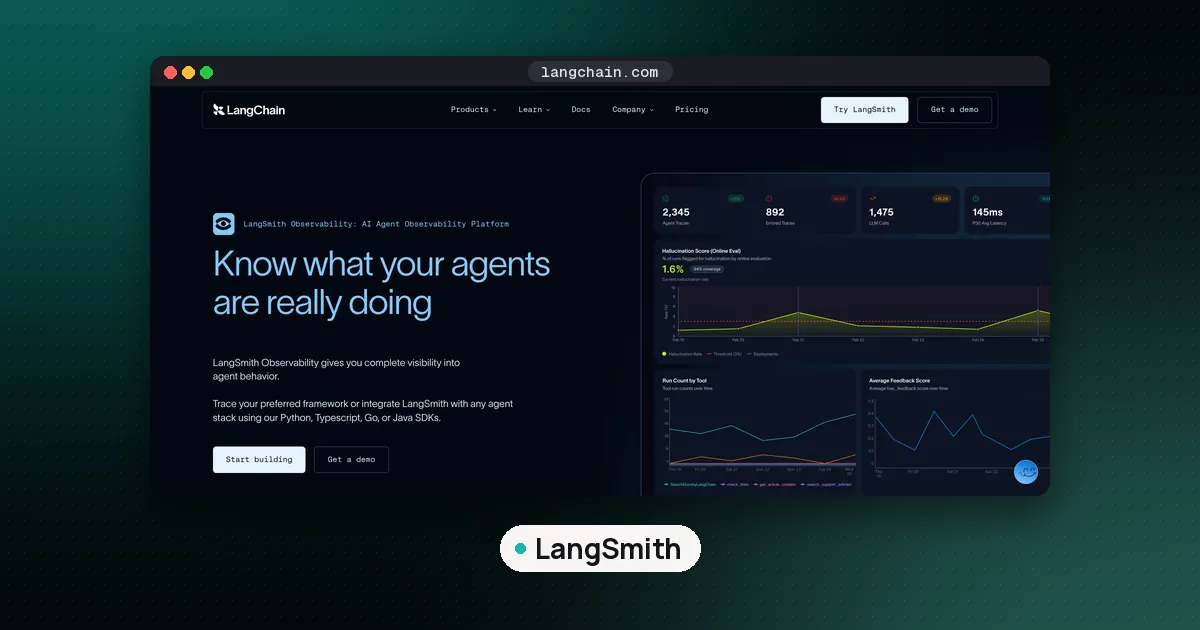
LangSmith is LangChain's hosted platform for tracing, evaluation and monitoring. It records what happened during a run and lets you score it. The two are separate products from the same company. LangGraph works without LangSmith, and LangSmith traces code that has nothing to do with LangGraph. They simply fit together well, because LangGraph emits the callback events LangSmith listens for.
Step 1: Install and set the environment variables
Install LangGraph, the SDK and a model integration. The official Trace LangGraph agents page uses OpenAI, but any provider works:
pip install -U langgraph langchain-openai "langsmith>=0.14.9"Next, which variables you set depends on how your LangSmith workspace is organized. LangSmith Cloud now has workspaces organized by agent and environment, while older workspaces and all self hosted installs are organized by tracing project. The docs say you can tell them apart by the control at the top left of the app: it shows your workspace name in the newer kind and the LangSmith logo in the older kind.
For a workspace organized by agent, create the agent once in the UI, copy its ID (not its display name), then set:
export LANGSMITH_TRACING=true
export LANGSMITH_API_KEY=<your-api-key>
export LANGSMITH_AGENT_ID=<your-agent-id>
export LANGSMITH_AGENT_ENVIRONMENT=development
export OPENAI_API_KEY=<your-openai-key>
The environment must be one of local, development, staging or production. Set both agent variables or neither. According to the Log traces to an agent page, if only one is set the SDK logs a warning and sends nothing for calls that do not name a destination in code. Routing to an agent needs langsmith 0.14.9 or later in Python and 0.10.9 or later in TypeScript.
For a workspace organized by project, or a self hosted LangSmith, skip the two agent variables and set LANGSMITH_PROJECT=<project-name> instead.
Three more variables matter in specific setups:
LANGSMITH_WORKSPACE_IDwhen one API key can reach several workspaces.LANGSMITH_ENDPOINTwhen your account is outside the default US region. The docs list separate hosts for GCP EU, GCP APAC and AWS US, and warn that without the right endpoint your key will not authenticate.LANGCHAIN_CALLBACKS_BACKGROUNDin LangGraph.js:trueon a normal server to cut latency,falsein serverless functions so traces finish before the function exits.
Need a key first? Our guide on whether the LangSmith API is free covers key types, the free plan and rate limits.
Step 2: Run the graph and read the trace
With the variables set, nothing in your graph code changes. A compiled graph is a LangChain runnable, so app.invoke(...) produces one trace per call. Inside it you will see a run for the graph, a child run for each node that executed, and nested runs for every model and tool call made inside those nodes. Loops show up as repeated node runs in order, which is exactly what you need when an agent calls the same tool four times.
LangSmith gives you two ways to read it. The Details view shows the full tree of runs with inputs, outputs, latency and token counts. The Trajectory view flattens the session into a chat style list: the user message, each tool call and result, and the final answer. Start in Trajectory to find the step that went wrong, then switch to Details to see the exact state that node received.
When your nodes do not use LangChain
If a node calls the OpenAI SDK directly, or runs your own helper functions, LangSmith cannot see inside it until you instrument it. Wrap the client and decorate the functions, and the runs nest under the right node automatically:
from langsmith import traceable
from langsmith.wrappers import wrap_openai
import openai

client = wrap_openai(openai.Client())

@traceable(run_type="tool", name="Search Tool")
def search(query: str) -> str:
    ...
The same pattern exists in TypeScript with traceable and wrapOpenAI from the langsmith package.
Step 3: Group conversations into threads
A trace covers one turn. A chat agent has many turns, and you usually want to read them together. In LangSmith that grouping is a thread, built from a thread_id (or session_id) metadata key that every run in the conversation shares.
LangGraph users get this almost for free. You already pass a thread_id in the config so the checkpointer can save state:
app.invoke(
    {"messages": [{"role": "user", "content": "what is the weather in sf"}]},
    config={"configurable": {"thread_id": "user-42-session-7"}},
)
LangSmith's Trajectory view integrations page lists LangGraph among the integrations that set the thread and run type metadata automatically. The docs recommend UUID v7 values for thread IDs (the SDK exports a uuid7 helper) so threads sort by creation time. The Threads tab and the Turns view only appear for runs that carry a thread ID, so if they are missing, check that one is set.
If you build traces by hand with @traceable instead, the Configure threads page warns that the thread key must be on every run, child runs included. Child runs without it drop out of thread filters, thread token counts and thread cost totals.
Step 4: Add tags and metadata you can filter on
Pass tags and metadata in the same config object, and they attach to the trace:
app.invoke(
    inputs,
    config={
        "configurable": {"thread_id": thread_id},
        "tags": ["support-bot", "v1.3"],
        "metadata": {"user_id": "user_123", "prompt_version": "2026-10-28"},
    },
)
Use them for anything you will want to slice by later: app version, customer tier, prompt version, feature flag. LangSmith can also stamp each run with your commit: set LANGSMITH_REVISION_ID at build time (for example to the Git SHA) and filter on revision_id to compare traces from two deploys.
Step 5: Control what gets traced
Tracing every call in production costs trace volume and may record data you should not keep. LangSmith has four controls, all described in its LangGraph observability and related pages:
- Selective tracing. Leave
LANGSMITH_TRACINGunset and wrap only the calls you want inwith ls.tracing_context(enabled=True):. Or keep it on globally and useenabled=Falsefor sensitive calls. The context manager overridesls.configure(), which overrides the environment variable. - Sampling.
LANGSMITH_TRACING_SAMPLING_RATEtakes a number from 0 to 1, so0.25keeps about a quarter of traces. - Masking. Build an anonymizer with
create_anonymizer(regex patterns and replacements), pass it to aClient, and attach aLangChainTracerusing that client to the graph with.with_config({"callbacks": [tracer]}). Matching text is redacted before it leaves your process. - Routing. Pass an agent address in code to send traces from one service to different agent environments per request, for example production traffic to
productionand test runs todevelopment.
Trace volume is also your bill. The free Developer plan covered 5,000 base traces a month when we last checked; our LangSmith API cost guide has the limits and the settings that quietly raise usage.
Step 6: Evaluate the whole graph on a dataset
Traces tell you what happened once. An evaluation tells you whether a change made things better across many inputs. LangSmith's How to evaluate a graph guide shows the pattern, which needs langsmith 0.2.0 or later.
First, create a dataset of inputs and reference outputs:
from langsmith import Client

ls_client = Client()
dataset = ls_client.create_dataset("weather agent")
ls_client.create_examples(
    inputs=[{"question": "what's the weather in sf"}],
    outputs=[{"answer": "It's 60 degrees and foggy."}],
    dataset_id=dataset.id,
)
Then write an evaluator. It is a plain function that receives the graph output and the reference, and returns a bool, a number or a dict with a key and score. The docs example asks a judge model whether the final message contains the expected facts; see our LLM as a judge guide for how to make that kind of grader trustworthy.
Finally, adapt the dataset format to your graph state and run it:
from langsmith import aevaluate

def example_to_state(inputs: dict) -> dict:
    return {"messages": [{"role": "user", "content": inputs["question"]}]}

target = example_to_state | app

results = await aevaluate(
    target,
    data="weather agent",
    evaluators=[correct],
    max_concurrency=4,
    experiment_prefix="baseline",
)
Because a compiled graph is a runnable, you can pipe a converter function into it. Use aevaluate if any node is async; evaluate works only when every node is synchronous. Each run becomes an experiment in LangSmith, so you can put two prompt versions side by side, example by example.
Step 7: Score the path, not just the answer
Agents can reach a right answer the wrong way: skipping a policy check, calling a paid tool twice, or guessing instead of searching. LangGraph makes the path easy to grade because the final state usually holds the whole message history. An evaluator can read outputs["messages"] and check, for example, that the first tool call was search.
When the information you need is not in state, an evaluator can take the Run object instead and walk run.child_runs, which hold the inputs and outputs of every node. For common checks, LangChain's open source agentevals package has a trajectory match evaluator with four modes: strict (same tool calls in the same order), unordered, subset (no tools beyond the reference) and superset (at least the reference tools), plus an LLM judge option. The Agent Evals docs have examples.
Step 8: Test one node at a time
Running the full graph for every test is slow and costs tokens. You can evaluate a single node by targeting it directly: example_to_state | app.nodes["agent"]. That runs only the routing or model node against the dataset, which suits regression tests for a planner prompt or a classifier step. The same evaluators work as long as they read what that node returns.
How to use LangSmith with LangGraph in practice
For most teams, a sensible order is: tracing on in development with LANGSMITH_AGENT_ENVIRONMENT=development; thread IDs from your checkpointer; a small dataset of 20 to 50 real inputs pulled from traces; one answer evaluator and one path evaluator; and sampling plus masking before production. Our guide to AI agent observability covers what to watch once traffic is real, and how to evaluate LLM applications covers dataset design.
If you would rather not tie tracing to LangChain's platform, Langfuse, Arize Phoenix and Opik all accept LangGraph traces through callbacks or OpenTelemetry. Our Langfuse vs LangSmith comparison and the best LLM observability tools roundup compare them.
FAQ
Do I need LangSmith to use LangGraph?
No. LangGraph is an open source library that runs without any account. LangSmith is optional and adds tracing, evaluation and monitoring on top.
LangSmith vs LangGraph: what is the difference?
LangGraph builds and runs the agent. LangSmith records and scores what the agent did. One is a library in your code, the other is a hosted platform (with a paid self hosted option) that receives traces from it.
How do LangSmith, LangChain and LangGraph fit together?
LangChain supplies model and tool integrations plus a quick agent API, LangGraph is the lower level runtime for stateful graphs, and LangSmith observes and evaluates both. drydock.si compares the first two in LangChain vs LangGraph and the wider framework field in LangGraph vs CrewAI vs OpenAI Agents SDK.
Why are my LangGraph traces not showing up in LangSmith?
Check that LANGSMITH_TRACING is true, that the key belongs to the workspace you are looking at, and that LANGSMITH_ENDPOINT matches your region. In a workspace organized by agent, make sure the agent exists and that both LANGSMITH_AGENT_ID and LANGSMITH_AGENT_ENVIRONMENT are set. In LangGraph.js on serverless, set LANGCHAIN_CALLBACKS_BACKGROUND=false.
Does LangGraph's thread_id create LangSmith threads?
Yes, for standard LangGraph runs the integration records thread metadata, so turns that share a thread_id group into one thread. Custom @traceable code must set the key on every run itself.
Can I use LangSmith with LangGraph in TypeScript?
Yes. LangGraph.js traces with the same environment variables, and the langsmith npm package provides traceable, wrapOpenAI and agent addressing for code outside LangChain.